3-hexo评论设置

前言
目前 3-hexo 已经集成了评论系统有 gitalk 、gitment、 disqus 、来必力、utteranc
一、gitalk
gitalk 是一款基于 Github Issue 和 Preact 开发的评论插件 官网: https://gitalk.github.io/
1. 登录 github ,注册应用
点击进行注册 ,如下
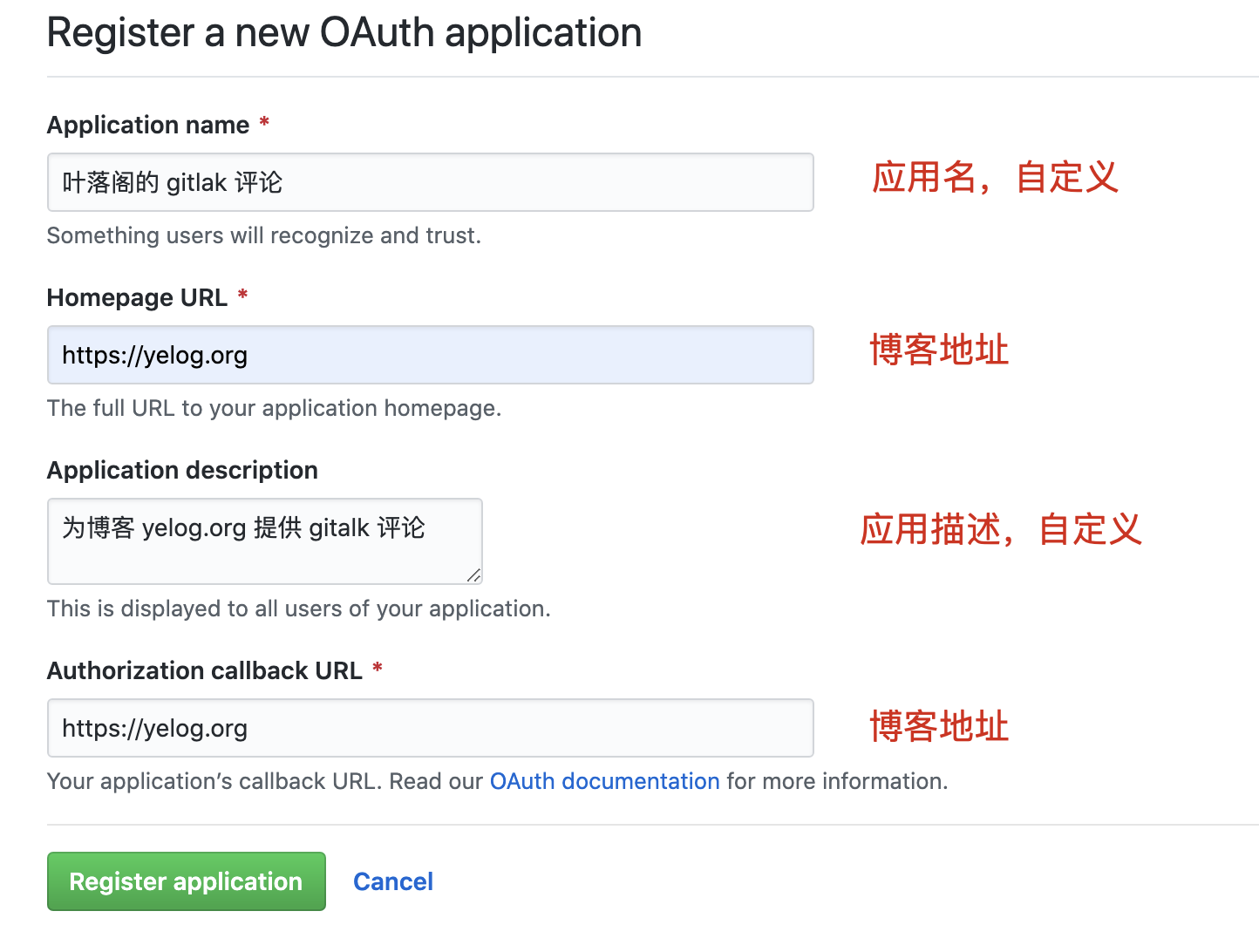
注册完后,可得到 Client ID 和 Client Secret
2. 新建存放评论的仓库
因为 gitalk 是基于 Github 的 Issue 的,所以需要指定一个仓库,用来承接 gitalk 的评论,我们一般使用 Github Page 来做我们博客的评论,所以,新建仓库名为 xxx.github.io,其中 xxx 为你的 Github 用户名
3. 配置主题
在主题下 _config.yml 中找到如下配置,启用评论,并使用 gitalk
1 | ##########评论设置############# |
在主题下 _config.yml 中找到 gitalk 配置,将 第1步 得到的 Client ID 和 Client Secret 复制到如下位置
1 | gitalk: |
二、来必力
1. 创建来必力账号,并选择 City 免费版
官网http://livere.com/ ,创建账号,点击上面的安装,选择 City 免费版
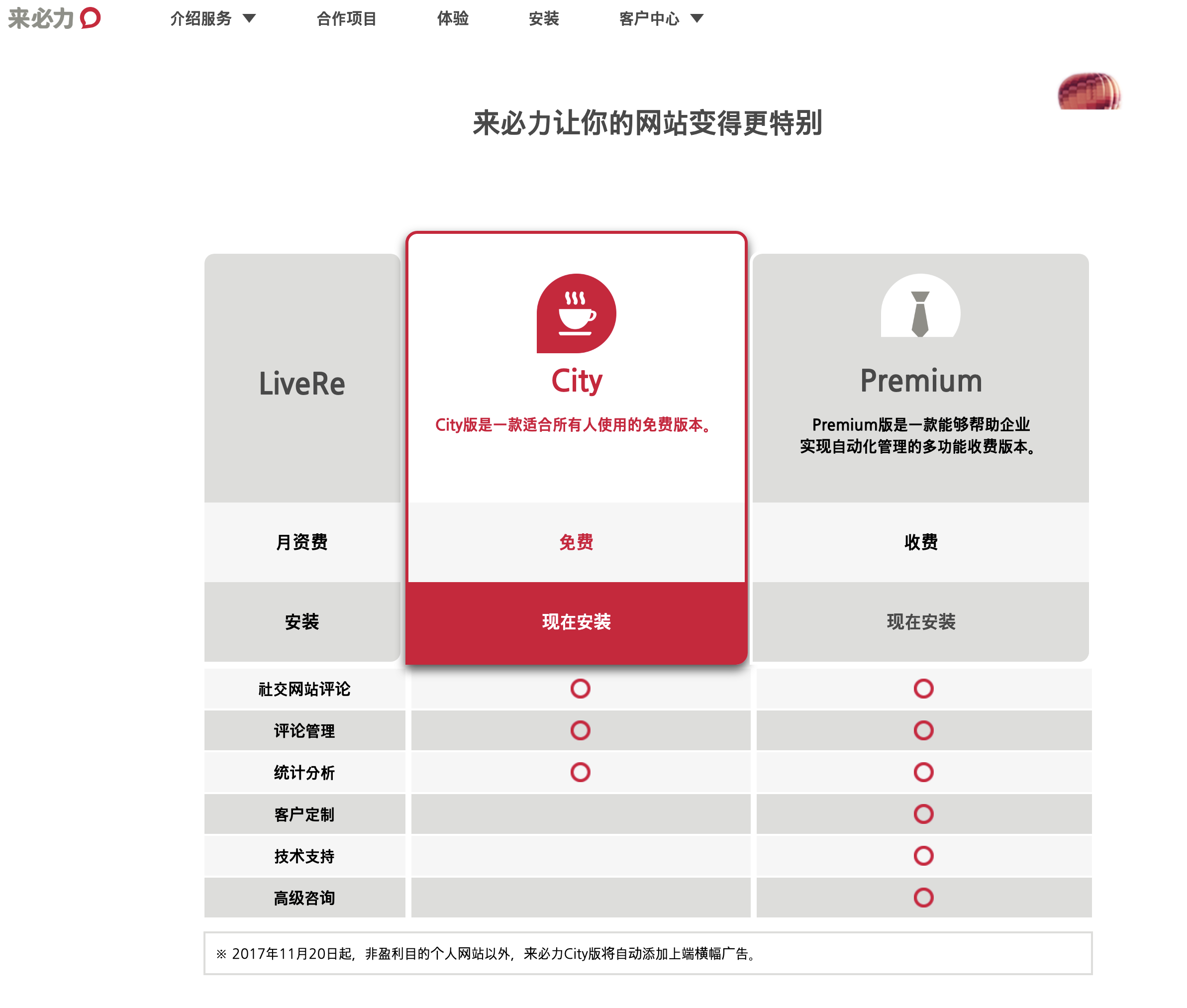
复制获取到的代码中的 data-uid
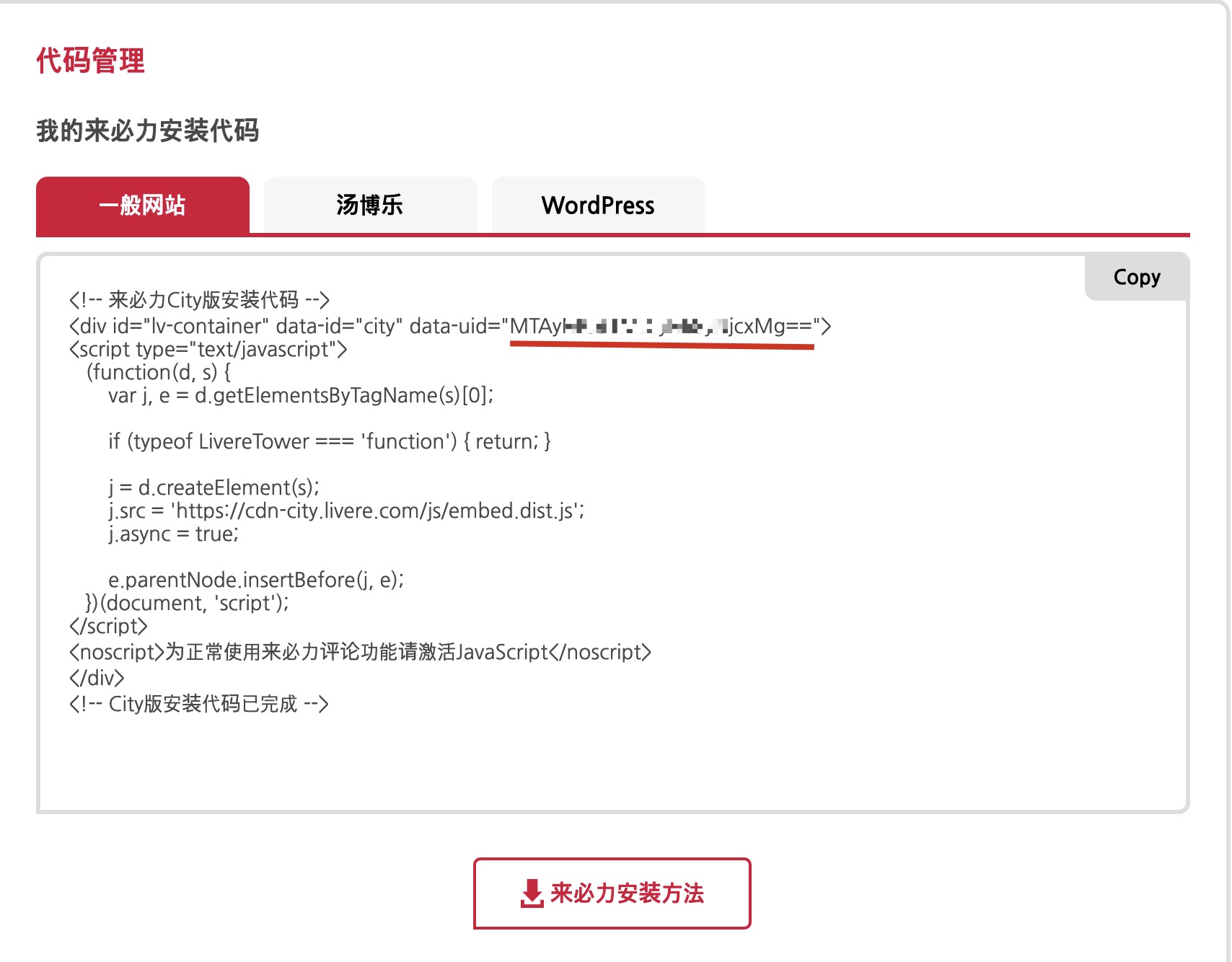
2. 主题选择使用来必力评论
在主题下 _config.yml
在找到来必力配置如下,第一步中复制的 data-uid 粘贴到下面 data_uid 处
1 | livere: |
找到以下代码, 开启并选择 livere (来必力)
1 | ##########评论设置############# |
三、utteranc
官网地址:https://utteranc.es/
1. 安装 utterances
2. 配置主题
在主题下 _config.yml 中找到 utteranc 的配置 ,修改 repo 为自己的仓库名
1 | utteranc: |
在主题下 _config.yml 中找到如下配置,启用评论,并使用 utteranc
1 | comment: |